
Published
•
Updated
GravityView version 1.15.2
This release is minty-fresh! Version 1.15.2 fixes issues where drop-down, radio, and checkbox field searches were not being matched exactly. “Urology” shouldn’t return a match for “Neurology“! Gravity Forms made a change to their Entries table layout which caused some strange display behavior with GravityView. We’ve fixed this issue. Version 1.15.2 also fixes a bunch…


This release is minty-fresh!
Version 1.15.2 fixes issues where drop-down, radio, and checkbox field searches were not being matched exactly. “Urology” shouldn’t return a match for “Neurology“!
Gravity Forms made a change to their Entries table layout which caused some strange display behavior with GravityView. We’ve fixed this issue.
Version 1.15.2 also fixes a bunch of bugs and improves the plugin in a subtle, but noticeable way. You might find yourself looking twice at the page, thinking “gee, isn’t that nicer somehow?” and not knowing exactly why. There’s a word for it in your language, we’re sure. It’s probably a very pretty word, loaded with meaning.
This update is immediately available for auto-update (as always) on your site’s Plugins page. We hope you have a brilliant day.
Full list of changes:
1.15.2 on December 3
- Fixed: Approval column not being added properly on the Form Entries screen for Gravity Forms 1.9.14.18+
- Fixed: Select, multi-select, radio, checkbox, and post category field types should use exact match search
- Fixed: Cannot delete entry notes from Gravity Forms Entry screen
- Fixed: Date Range search field label not working
- Fixed: Date Range searches did not include the “End Date” day
- Fixed: Support Port docs not working on HTTPS sites
- Fixed: When deleting an entry, only show “Entry Deleted” message for the deleted entry’s View
- Fixed: “Open link in a new tab or window?” setting for Paragraph Text fields
- Fixed: Custom Labels not being used as field label in the View Configuration screen
- Tweak: Custom Labels will be used as the field label, even when the “Show Label” checkbox isn’t checked
- Tweak: Show available plugin updates, even when license is expired
- Tweak: Improve spacing of the Approval column on the Entries screen
- Tweak: Added support for new accessibility labels added in WordPress 4.4
Developer Notes:
- Fixed: Make
gravityview/fields/fileupload/link_attsfilter available when not using lightbox with File Uploads field - Renamed files:
includes/fields/class.field.php=>includes/fields/class-gravityview-field.phpincludes/class-logging.php=>includes/class-gravityview-logging.phpincludes/class-image.php=>includes/class-gravityview-image.phpincludes/class-migrate.php=>includes/class-gravityview-migrate.phpincludes/class-change-entry-creator.php=>includes/class-gravityview-change-entry-creator.php
- New:
gravityview/delete-entry/verify_nonceOverride Delete Entry nonce validation. Return true to declare nonce valid. - New:
gravityview/entry_notes/add_notefilter to modify GravityView note properties before being added - New:
gravityview_post_type_supportsfilter to modifygravityviewpost type support values - New:
gravityview_publicly_queryablefilter to modify whether Views be accessible usingexample.com/?post_type=gravityview. Default: Whether the current user hasread_private_gravityviewscapability (Editor or Administrator by default)

Get better at Gravity Forms, one email a week
New GravityKit releases, practical Gravity Forms tutorials, and subscriber-only discounts. One short email every week, unsubscribe anytime.
More articles

Launch Log: A range slider for search, AI-managed calendars, and security updates in ten products
GravityView adds a Slider search input, GravityCalendar lets AI assistants manage calendars, and ten GravityKit products get security fixes. Here’s what shipped.

9 nonprofit apps you can build with Gravity Forms and GravityKit
Nine apps nonprofits build on WordPress from Gravity Forms data: volunteer databases, member directories, client portals, donation pages, grant review and more.
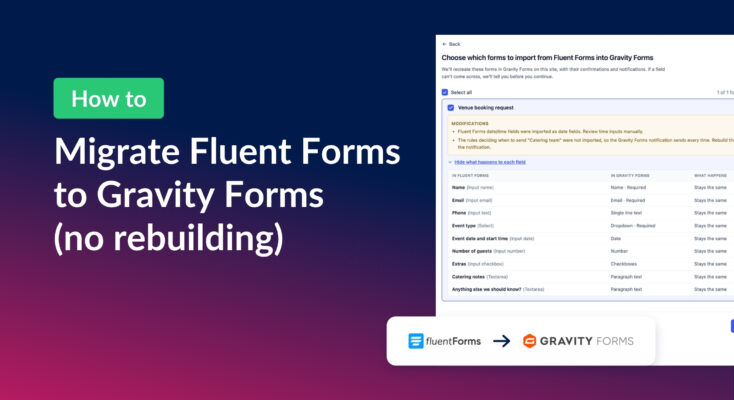
How to migrate from Fluent Forms to Gravity Forms without rebuilding your forms
Move your Fluent Forms forms into Gravity Forms with GravityMigrate, then bring your entries across with GravityImport. Every step was tested on the free version of Fluent Forms.