
Published
•
Updated
GravityView version 1.6.1 Update
We’ve released an update that fixes small issues, mostly with the WordPress Widgets (introduced in 1.6). Changes in 1.6.1 (Full List) Added: Allow Recent Entries to have an Embed Page ID Fixed: # of Recent Entries not saving Fixed: Link to Embed Entries how-to on the Welcome page Fixed: Don’t show “Please select View to…

We’ve released an update that fixes small issues, mostly with the WordPress Widgets (introduced in 1.6).
Changes in 1.6.1 (Full List)
- Added: Allow Recent Entries to have an Embed Page ID
- Fixed: # of Recent Entries not saving
- Fixed: Link to Embed Entries how-to on the Welcome page
- Fixed: Don’t show “Please select View to search” message until Search Widget is saved
- Fixed: Minor Javascript errors for new Search widget
- Fixed: Custom templates loading from the theme directory.
- Fixed: Adding new search fields to the View search bar widget
- Fixed: Entry creators can edit their own entries in Gravity Forms 1.9+
- Fixed: Recent Entries widget will be hidden in the Customizer preview until View ID is configured
- Tweak: Added Floaty icon to Customizer widget selectors
- Updated: Hungarian, Norwegian, Portuguese, Swedish, Turkish, and Spanish translations (thanks to all the translators!)

Get better at Gravity Forms, one email a week
New GravityKit releases, practical Gravity Forms tutorials, and subscriber-only discounts. One short email every week, unsubscribe anytime.
More articles

Launch Log: A range slider for search, AI-managed calendars, and security updates in ten products
GravityView adds a Slider search input, GravityCalendar lets AI assistants manage calendars, and ten GravityKit products get security fixes. Here’s what shipped.

9 nonprofit apps you can build with Gravity Forms and GravityKit
Nine apps nonprofits build on WordPress from Gravity Forms data: volunteer databases, member directories, client portals, donation pages, grant review and more.
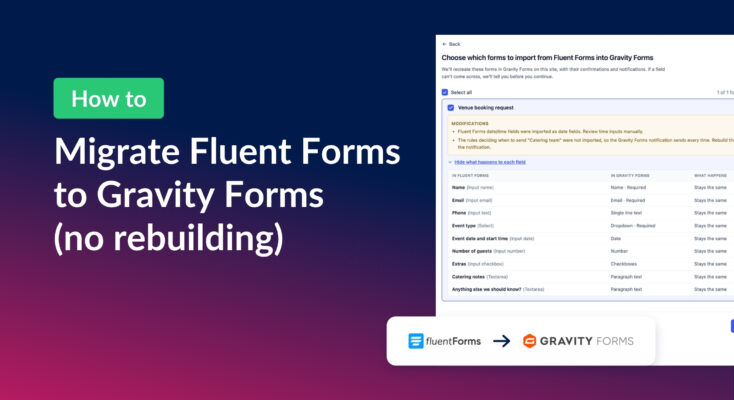
How to migrate from Fluent Forms to Gravity Forms without rebuilding your forms
Move your Fluent Forms forms into Gravity Forms with GravityMigrate, then bring your entries across with GravityImport. Every step was tested on the free version of Fluent Forms.