When a field stores an ID behind the scenes, like a Dynamic Lookup field that points at a WordPress user, GravityView now searches and sorts by the name your visitors see, not the ID value. WordPress has also released its new MCP Adapter. Plus, we've got a podcast episode with a former astronaut for your weekend listening, and a reminder that GravityKit Live is coming up on October 20.
In this edition:
🌟 Product spotlight: Search, sort, and export by name
🎙️ GravityKit Live: Visual Merge Tags, GravityMigrate 2.0, and more
🎧 On the podcast: An Apollo astronaut on Crew Collective
🤖 The Prompt: WordPress’s official MCP Adapter arrives
✍️ From the blog: A client portal and a Ninja Forms migration
🧰 Updates to the ’Kit
🌟 PRODUCT SPOTLIGHT
GravityView
Display Gravity Forms entries on the front-end of your site and build powerful web applications.
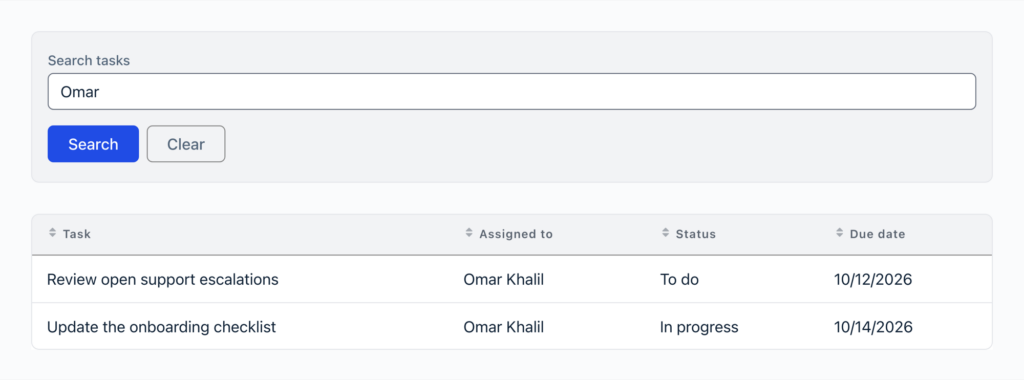
GravityView 3.7.0 changes what “Search Everything” in the Search Bar can find. It used to match only what a field stores, which for a Dynamic Lookup or GP Populate Anything field is usually a record ID. Now it also matches what the field displays: the person’s name, the label of a choice, and fields inside Repeater fields.
Searching “Omar” finds the tasks assigned to Omar Khalil
Sorting works the same way. Sort a column by a field that stores an ID, and entries are ordered by the name visitors see, including in Views that combine forms with Multiple Forms. This release also fixes several security issues around which entries a View shows, so we recommend updating soon.
Gravity Forms Dynamic Lookup
The Gravity Forms Dynamic Lookup add-on enables you to populate field choices dynamically with Gravity Forms entry data or WordPress users.
Dynamic Lookup 1.10.0 brings the same idea to exports. Gravity Forms’ Export Entries page and GravityExport now write the name a Lookup field shows, where they used to write the stored ID.
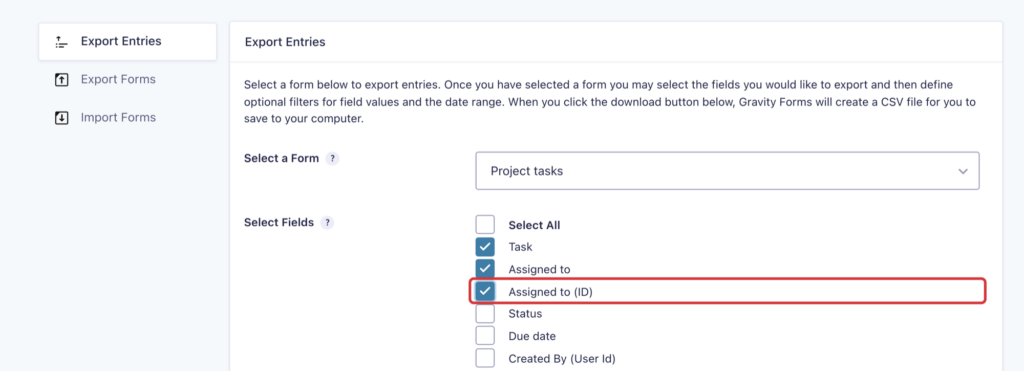
Planning to import those entries back into a Lookup field later? Check the field’s new “(ID)” option and the export adds a column with the stored IDs. The update also includes security fixes for how Lookup values are displayed and submitted, so it’s worth updating soon alongside GravityView 3.7.0.
The new “Assigned to (ID)” option on Export Entries
These updates are part of our latest round of releases, which also includes updates to the Maps Layout, GravityCalendar, GravityMath, the Advanced Filter Extension, and more.
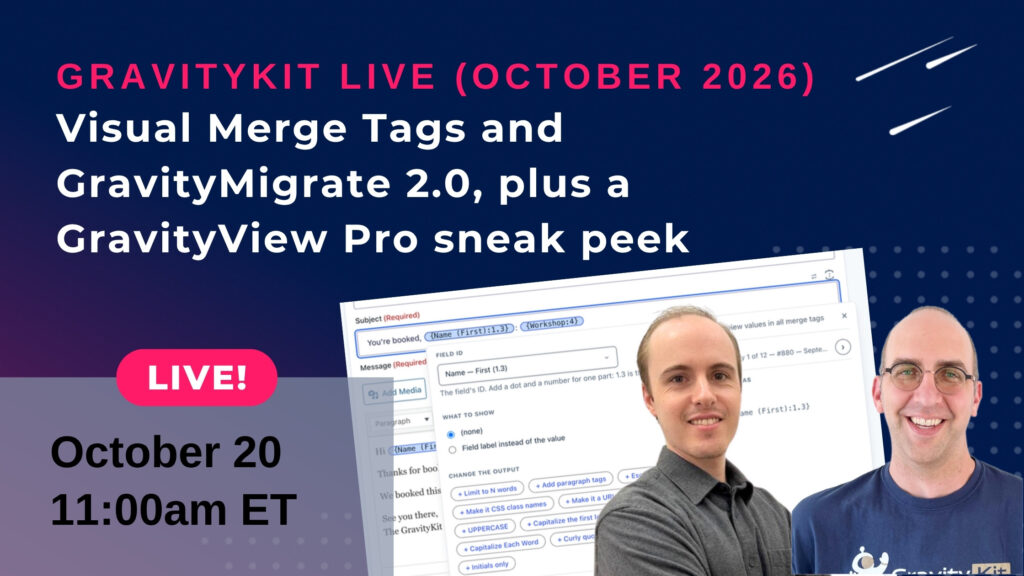
Visual Merge Tags and GravityMigrate 2.0, plus a GravityView Pro sneak peek
Join us on Tuesday, October 20 at 11am ET for another installment of GravityKit Live! Casey and I will demo Visual Merge Tags, which turns Gravity Forms merge tags into chips you can click to edit and preview with real entries, and show GravityMigrate 2.0 moving forms between WordPress form plugins in both directions.
Why tune in? We’ll also give you an early look at something big coming to GravityView Pro, built to enhance the directories, databases, and other apps you create. You’ll want to see it before anyone else does.
Don't forget to bring your questions for the live Q&A at the end! Can't make the live show? Register anyway and we'll send you the recording afterward.
Over on Crew Collective, the storytelling podcast from Rocketgenius (the team behind Gravity Forms), host Stuart Barefoot talks with Charlie Duke, the Lunar Module Pilot on Apollo 16. Charlie shares his time on the Moon and the personal journey that followed when he came home. This one is worth your weekend walk!
Charlie Duke on the Moon during Apollo 16 (image: NASA)
🤖 THE PROMPT
WordPress’s official MCP Adapter lands in the repo
On October 2, the WordPress AI Team’s MCP Adapter landed in the WordPress.org plugin directory as version 0.7.0 and racked up more than 40,000 active installs within a week. The adapter connects WordPress’s Abilities API to the Model Context Protocol (MCP), the open standard that AI assistants like Claude and ChatGPT use to call tools in other software. Until now, you could only get it from GitHub.
The adapter adds no AI features of its own. It exposes the abilities your plugins register, only the ones marked public, and it checks the connected user’s permissions before anything runs. These are sensible defaults, meaning what an agent can do is set by the plugins you install and the WordPress user it connects as. As a canonical plugin, it also lets other plugins declare it as a dependency, so a site no longer ends up with several conflicting copies.
It’s still 0.x, though. Setup is manual (an application password and a config file, with no settings screen), and the team is keeping it out of core while the MCP specification keeps changing. Try it on a staging site first. If you want to get your AI assistant working with your forms, entries, and Views today, try GravityKit MCP 😉
Status updates by email and files scattered across inboxes get messy fast. This tutorial builds a portal where each client logs in to see their profile, their requests, and the documents they’ve shared, all using Gravity Forms and GravityView.
Switching form plugins usually means rebuilding every form by hand. This guide shows you how to move your Ninja Forms forms into Gravity Forms with their fields, conditional logic, and notifications using GravityMigrate, then bring your submissions across with GravityImport.
🧰 UPDATES TO THE ’KIT
Here are the plugins that got updates since our last newsletter: