Next week is a big one: we're revealing a new feature for GravityView Pro every single day, starting with Live Filters on Monday. Bookmark the GravityView Pro Hub page for everything you need to know! We'll be updating it as the week progresses.
Until then, this edition has new Parent Entry ID fields in GravityView, a look at what WordPress 7.2 means for AI assistants, and the date for our next GravityKit Live!
In this edition:
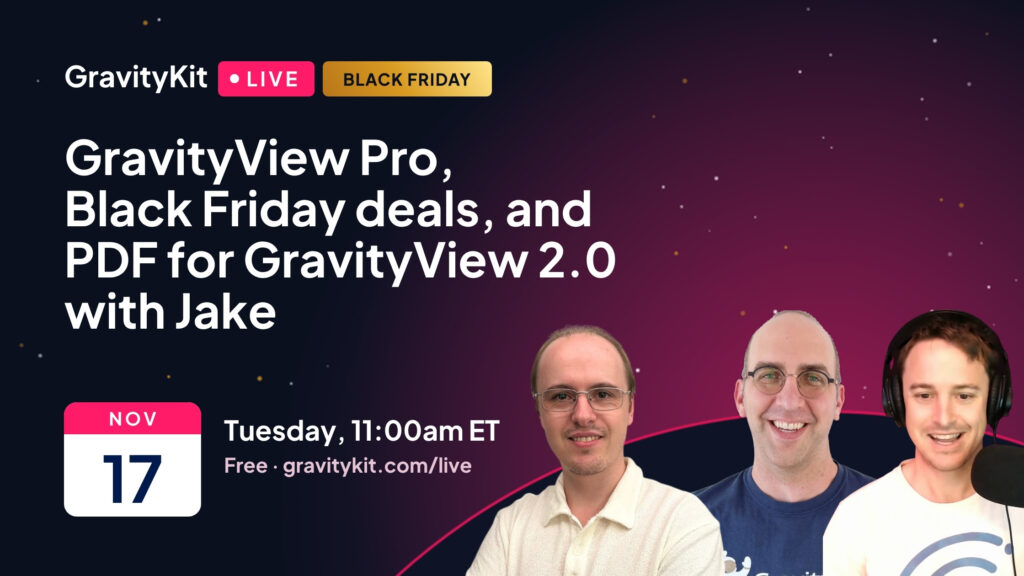
🎙️ GravityKit Live: GravityView Pro, Black Friday, and PDF for GravityView 2.0
🌟 Product spotlight: Parent Entry ID fields and themed Bulk Actions in GravityView
🤖 The Prompt: WordPress 7.2 Beta 4 gives agents a design guide
✍️ From the blog: 9 business apps, and making gravitykit.com agent-ready
🧰 Updates to the ’Kit
🎙️ GRAVITYKIT LIVE
🕛 Date: Tuesday, November 17 at 11am ET (5pm CET) 🗓️ Add to calendar: Google | iCal 📍 Where: Premiere on YouTube
GravityView Pro, Black Friday deals, and PDF for GravityView 2.0 with Jake
Join us on Tuesday, November 17 at 11am ET (5pm CET) for another installment of GravityKit Live! We'll demo new features in GravityView Pro, and share early access to our 2026 Black Friday sale.
Then Jake Jackson, the developer behind Gravity PDF and PDF for GravityView, shows what's new in version 2.0, including PDFs of the Multiple Entries Layout and maps in your PDFs.
Can't make the premiere? Register anyway and we'll send you the recording afterward.
Display Gravity Forms entries on the frontend of your site and build powerful web applications.
GravityView 3.11.0 adds two fields to the View editor: Parent Entry ID and Parent Form ID. When you embed a form in a View, each submission made through it is saved with the entry and form it came from. You can now show those as fields, and search and sort by them.
The new Parent Entry ID and Parent Form ID fields
That means a View of follow-ups, comments, or bookings can show which record each one belongs to, and visitors can search for every entry linked to one parent. Read more about how parent entries are stored.
In Views that use the Vantage theme, the Bulk Actions dialogs for editing, deleting, and resending notifications now match the View's theme, colors, and Custom CSS.
Bulk editing three entries in a Vantage-themed View
This release also improves security in Edit Entry on forms with a User Registration feed, so we recommend updating. Edit Entry now runs the form's Update User feed too, which keeps the person's WordPress account in step with the entry.
These updates are part of our latest round of releases, which also includes updates to GravityImport, GravityEdit, GravityExport, GravityCharts, GravitySearch, and more.
WordPress 7.2 is set for release on December 8, and its fourth test version, Beta 4, came out on November 3. Most of the changes are small. For example, you'll be able to choose which translation updates to install instead of taking them all at once. The part I'm watching is how WordPress is getting ready for AI assistants.
You can now connect an AI assistant, such as Claude or ChatGPT, to a WordPress site and ask it to do things: write a post, build a page, change a setting. To do that well, the assistant needs to know what the site can do. WordPress handles this with "abilities," a list of actions that a site, plugin, or theme tells the assistant it can take.
Ipsum, the new default theme in 7.2, adds an ability that hands over its design guide: its colors and what each one is for, its fonts, its page widths, and its ready-made page sections.
Ipsum's design guide, as an AI assistant would read it
That's the piece I like most. Ask an assistant to build a page today and it has to guess at your brand. With a design guide, the first draft uses your colors and your layouts. It also shows how any theme or plugin can explain itself to an assistant in plain terms.
If you want to try it, wait for the final release or install the beta on a staging site.
If leads, orders, or requests already reach you through Gravity Forms, you have the data for the tools your business runs on. This post walks through nine of them, including a sales board, a customer portal, and a stock list your team can trust, each linked to a full walkthrough.
AI agents already read our docs on behalf of customers, and some support tickets now arrive written by Claude. Casey walks through what we've built so agents get accurate answers from our site: a Content MCP, a developer docs MCP, Markdown versions of our pages, and an llms.txt file.
🧰 UPDATES TO THE ’KIT
Here are the plugins that got updates since our last newsletter:
Black Friday Pro starts on November 23. We're keeping the details quiet until then, but if you join the early access list, we'll send you a private link before the public sale opens 😉
Until next time, Zack with GravityKit
Get this every Friday
One short email a week: new releases, practical Gravity Forms tutorials, and subscriber-only discounts.