This week's releases are all about getting to the right entry sooner. GravityView's Search Bar can now open with a value already set, Multiple Forms 1.0 lets visitors search a joined form's fields in a View, and GravityBoard works properly from the keyboard. We also look at Automattic's new Spacefast, dubbed "the future of WordPress and AI" by Matt Mullenweg himself.
In this edition:
🌟 Product spotlight: Search Bar defaults, Multiple Forms 1.0 and a keyboard-friendly GravityBoard
🤖 The Prompt: Automattic makes WordPress the backend for AI agents, plus two security releases
✍️ From the blog: How to build a searchable directory on Gravity Forms by chatting with AI
🧰 Updates to the ’Kit
🌟 PRODUCT SPOTLIGHT
GravityView
Display Gravity Forms entries on the front-end of your site and build powerful web applications.
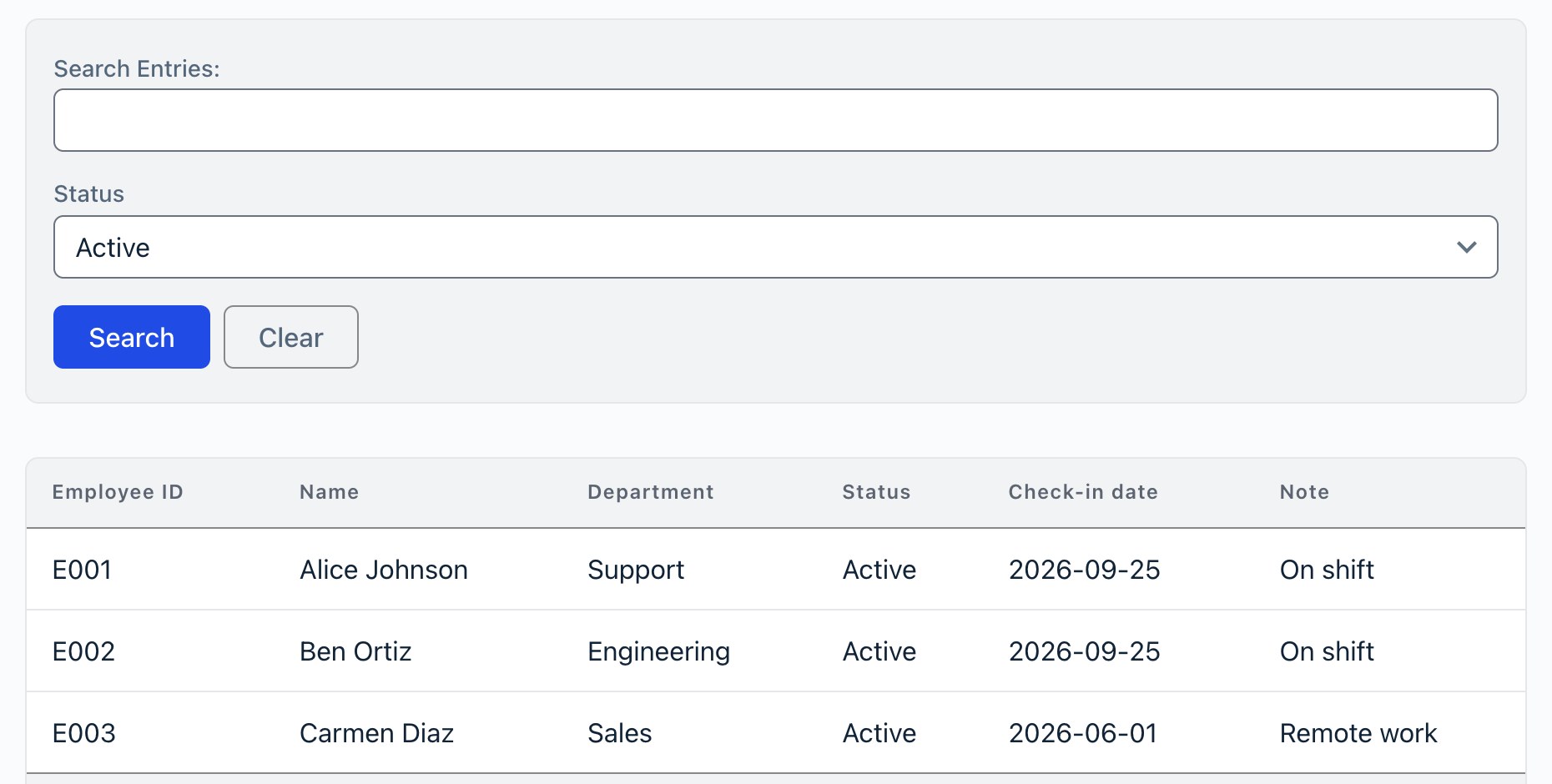
GravityView 3.5.0 adds a Default Value setting to Search Bar fields. A default pre-fills the field and filters the View until a visitor runs their own search, so a staff directory can open on active employees and a job board on open roles. For fields with choices, you pick the default from a list.
Status defaults to Active, so the View opens filtered
Radio button search fields also get a No value option, a choice that clears the field (radio buttons can't otherwise be deselected). Screen reader users get a much clearer Search Bar too: it's now a search landmark, and grouped fields like checkboxes and date ranges announce their name. If you've styled the Search Bar with custom CSS, check the styling guide before updating, since some fields now render as a fieldset.
GravityView – Multiple Forms Extension
The Multiple Forms extension for GravityView enables you to join related entries from different Gravity Forms forms, or stack entries from multiple forms into one combined View.
Multiple Forms reaches version 1.0 this week, and it brings search on joined forms. You can now add any joined form's fields to the Search Bar, so visitors can search a joined View by every form's fields, not only the main form's. The Status field in the screenshot above comes from a separate check-in form.
Sorting in joined Views also works as expected again, including random order and sorting by the joined form's Entry ID or Date Created, and joined Views load their entries more efficiently.
GravityBoard
Display Gravity Forms entries on collaborative kanban boards: manage projects, coordinate with your team, and streamline your workflows.
GravityBoard 1.5.0 is a big one for keyboard users. Shortcuts like ? and / now work as soon as the page loads, arrow keys and J/K move between cards, and tags can be added and removed without a mouse. The same release fixes a security issue with images in card notes, draws large boards faster, and stops card saves from changing fields nobody touched.
Heads up: GravityKit plugins now require WordPress 6.5 or newer.
These updates are part of our latest round of releases, which also includes updates to the Advanced Filter Extension, GravityCalendar, GravityCharts, GravityExport, GravitySearch, and more.
Automattic makes WordPress the backend for AI agents
On September 22, Automattic soft-launched Spacefast, a research-preview service for publishing whatever your AI agent builds. You tell Claude, ChatGPT, Codex or Cursor to publish a site, an app or a report, and you get a live link back: no account needed to start, private by default, with version history and custom domains. Matt Mullenweg called it "what I think is the future of WordPress and AI."
Spacefast's homepage (image: Spacefast)
The interesting part is underneath. You never see WordPress, but every Space runs on a WordPress install on WP Cloud. That's how an app your agent generated gets a real database, logins, file uploads, email and Akismet spam protection without anyone wiring them up. Each Space also exposes WordPress Abilities, the same API that lets AI assistants edit sites and drive plugins (including ours).
Matt also hinted that signups may be limited as data center costs climb, so if you're curious, now's the time to try it.
Heads up: WordPress shipped two security releases in six days. 7.1.1 (September 17) fixed 11 issues, and three of them came from AI security researchers: two reported by Anthropic and one by pwn.ai. Five days later, 7.1.2 patched a critical flaw, and attackers began probing for it within five hours. AI is finding bugs faster, so check that every site you manage is updated.
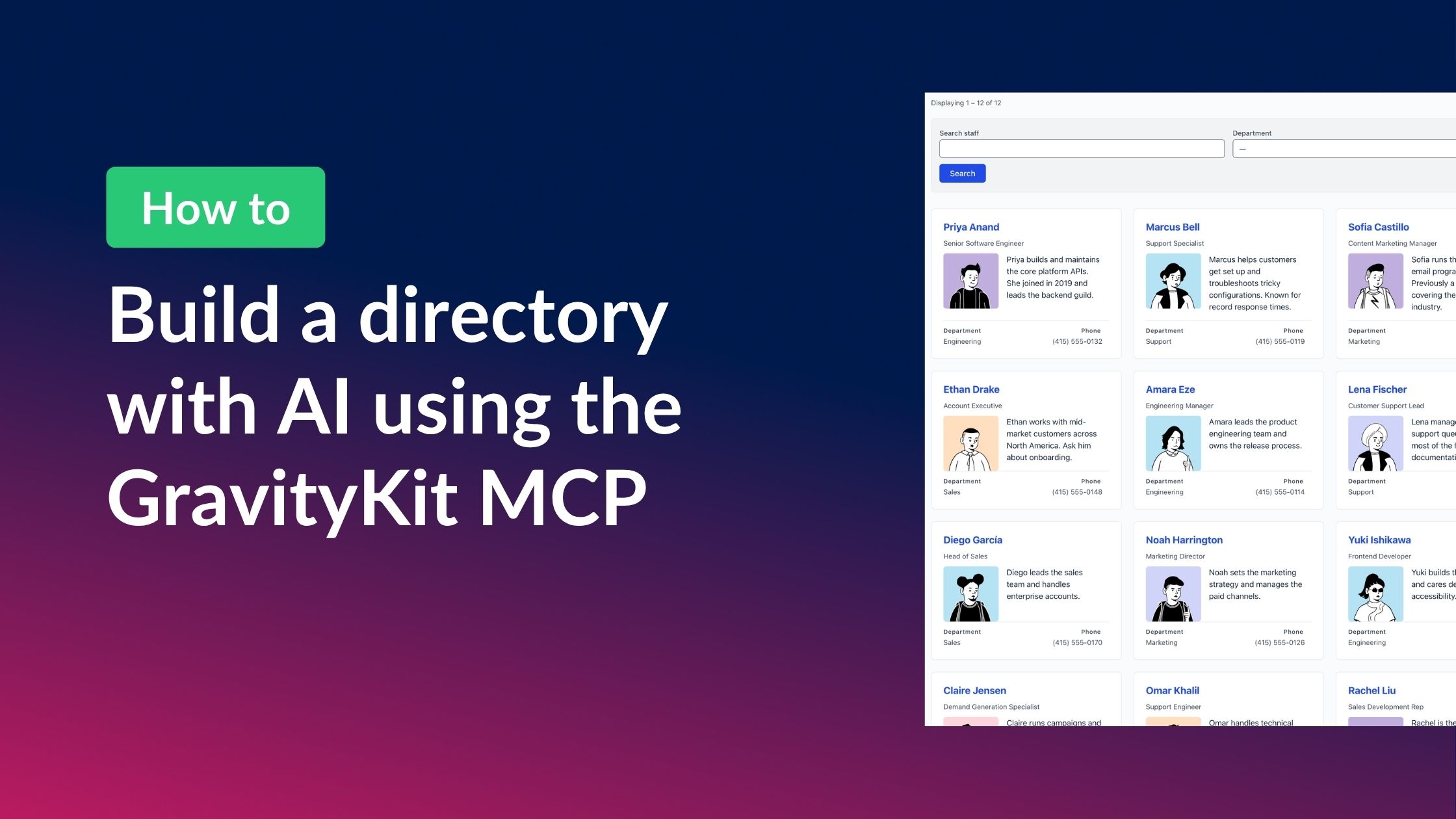
A good companion to this week's Search Bar updates. Casey built a complete, searchable staff directory by chatting with Claude through the free GravityKit MCP: the AI created the form, added sample entries, built the View and turned on search. The post walks through every prompt, so you can reuse them for member directories, vendor lists or resource libraries.
🧰 UPDATES TO THE ’KIT
Here are the plugins that got updates since our last newsletter:
One more thing: we've got a lot in the works, and we're planning a livestream in October to show it off. The date isn't set yet, so join the GravityKit Live list and we'll let you know as soon as it is!
Until next time, Zack with GravityKit
Get this every Friday
One short email a week: new releases, practical Gravity Forms tutorials, and subscriber-only discounts.