Exciting news: GravityView 3.0 is around the corner. It's a ground-up rebuild of how Views work, and we’d love your help testing it before launch! As a beta tester, you’ll get early access to GravityView 3.0 before it’s publicly available, along with a direct line to our team to report bugs and share feedback. Become a beta tester now.
🌟 Product spotlight: Zero Spam sees email rejection rules
⏯️ Replay: GravityKit Live (February 24, 2026)
✍️ From the blog: Creating a two-step intake workflow
🧰 Updates to the ’Kit
🌟 PRODUCT SPOTLIGHT
Gravity Forms Zero Spam
Zero Spam enables you to block spam submissions with a non-intrusive method applied to all Gravity Forms forms, with optional summary email reports.
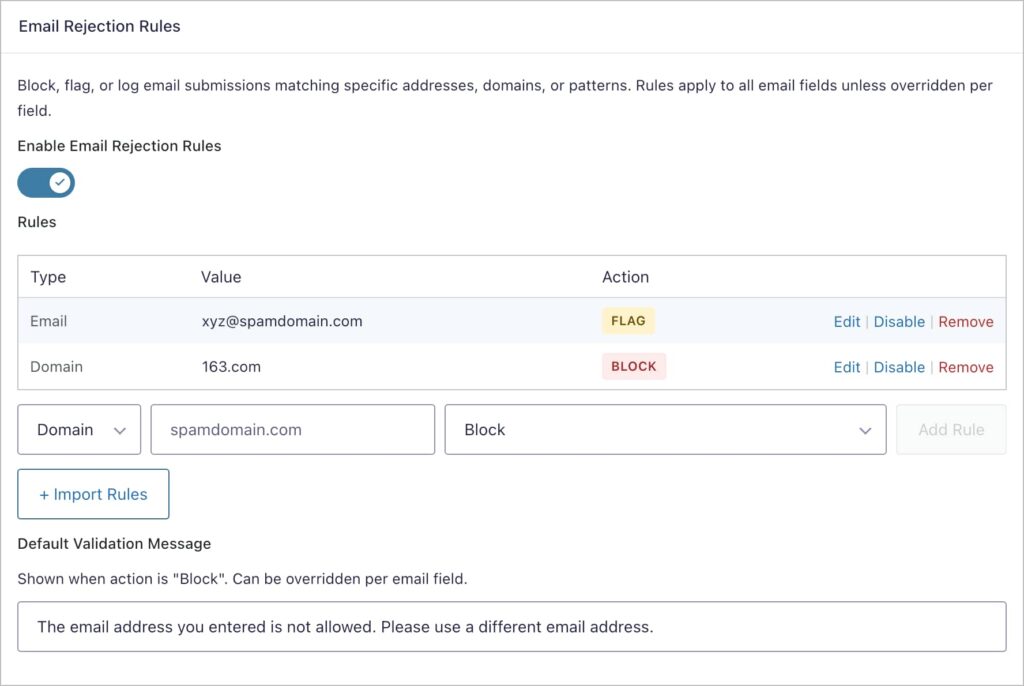
Gravity Forms Zero Spam now includes email rejection rules, letting you block, flag, or log submissions based on specific email addresses, domains, or patterns.
Flexible matching and actions
You can match by exact address, domain (e.g., @example.com), wildcard, or regular expression, then choose what happens when a rule matches: block the submission outright, mark it as spam, or quietly log it with an entry note. Rules can be imported in bulk, toggled on and off individually, and overridden on specific forms.
Save and Continue protection
This release also adds spam protection for forms using the Save and Continue feature, so bots can no longer create junk drafts.
Visible spam reasons
When an entry is flagged, you'll now see the reason why, making it easier to fine-tune your settings.
This update is part of our latest round of releases, which also includes fixes for GravityView, GravityEdit, GravityImport, and Dynamic Lookup.
Thank you to everyone who tuned in to our live session this month! We went deep into advanced GravityView features, including advanced filtering, field conditional logic, and the [gvlogic] shortcode.
We received plenty of great questions as well, so be sure to watch the Q&A section at the end to find out about sending automatic notifications on entry import, performing exact match searches, ordering entries within RowGroup tables, making entries downloadable, and more.
I've linked some of the highlights below, and as always, you can watch the full replay on our YouTube channel.
Many workflows require two people to complete a single form. The customer fills out their part online, and then a staff member adds the rest later. Think fitness intake forms, medical questionnaires, rental contracts, or event check-ins. The challenge? You don’t want customers seeing or filling out the staff-only fields.
In this tutorial, I’ll show you how to build a two-step intake workflow using Gravity Forms and GravityView. The client submits their information through a frontend form, and the staff can then look up the submission, review it, and fill in the remaining fields—all from the frontend of your WordPress site.
In this tutorial, we’ll walk through how to create a dynamic “Edit profile” link that directs users straight to the Edit Entry screen, so they can update their submission without accessing the admin area. This link will be independent of your main View, so you can place it anywhere on your site. If you use GravityView to power directories, membership sites, or other user-based apps, this tutorial is for you.
🧰 UPDATES TO THE ’KIT
Here are the plugins that got updates since our last newsletter: