Zack and Casey will be in Tempe, Arizona for PressConf from April 6–10. Whether you're a WordPress user, developer, agency, or just want to say hi, we'd love to grab a coffee and chat.
This week brings some exciting product updates, including Box.com support for GravityExport and a new Composer repository for developers. Beyond GravityKit, there's been a lot of chatter in the WordPress community about EmDash, Cloudflare's new AI-built CMS that went from idea to launch in just two months. Reactions have been... mixed. More on that below!
In this edition:
🌟 Product spotlight: GravityExport v1.9.0 sees Box.com support + developer updates
🤖 The prompt: AI agents just built a WordPress competitor
✍️ From the blog: How to style Edit Entry buttons in GravityView
🧰 Updates to the ’Kit
🌟 PRODUCT SPOTLIGHT
GravityExport
Export Gravity Forms entries to Excel, CSV, or PDF and share them instantly with secure download links.
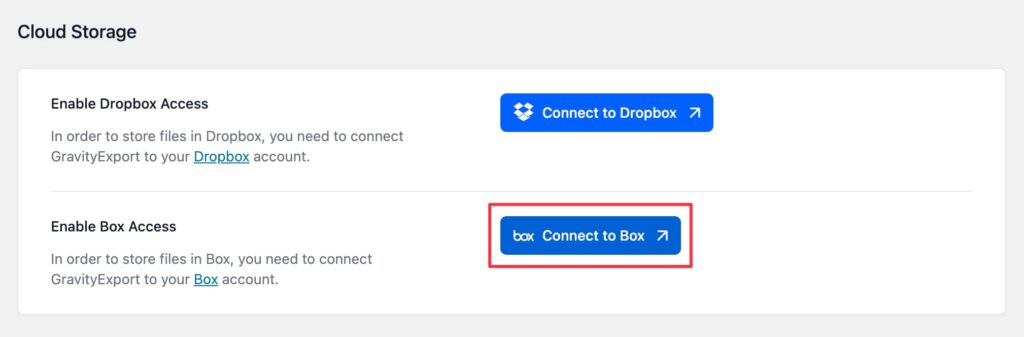
GravityExport v1.9.0 now supports Box.com as a cloud storage destination in Save feeds. If you're already using Box.com for file management, you can now have your exported files automatically uploaded to a specified Box folder on a schedule that you set (no manual downloads and re-uploads required!).
Simply connect to your Box account from the GravityExport settings (under GravityKit > Settings > GravityExport), and then select Box as the storage destination in your Save feed.
This is especially useful for teams that need exported data delivered to a shared location on a regular basis, such as weekly sales reports, monthly form submissions, or ongoing data backups.
GravityExport v1.9.0 also adds support for Gravity Flow fields, including User, Multi User, Assignee, Role, Timestamp, and Status.
Developer updates
GravityKit products can now be installed and managed via Composer using our private Composer repository at composer.gravitykit.com. If your team manages WordPress dependencies through Composer, you can add GravityKit plugins to your existing workflow—just authenticate with your license key and require the packages you need.
This is particularly useful for teams using version-controlled deployments or CI/CD pipelines. Credentials can be stored as environment variables for automated builds, and version constraints let you control exactly how updates are applied. For full setup instructions, see our Composer installation guide.
These updates are part of our latest round of releases, which also includes updates to GravityView and Zero Spam.
AI agents just built a CMS that competes with WordPress
Cloudflare just released EmDash, an open-source CMS built in two months using AI coding agents. It's positioning as the "spiritual successor" to WordPress (Matt Mullenweg disagrees), and it ships with WordPress migration tools to back that up!
But the real story is the architecture. EmDash is designed for AI agents as first-class users, with a built-in MCP server, machine-readable CLI, AI skills, and structured content so agents can manage sites directly. As Joost de Valk (founder of Yoast SEO) noted: "Every architectural decision seems designed around: what if an AI agent needs this?"
While EmDash is only at v0.1.0 and the plugin ecosystem is empty, it's backed by one of the largest web infrastructure companies on the planet. Worth watching.
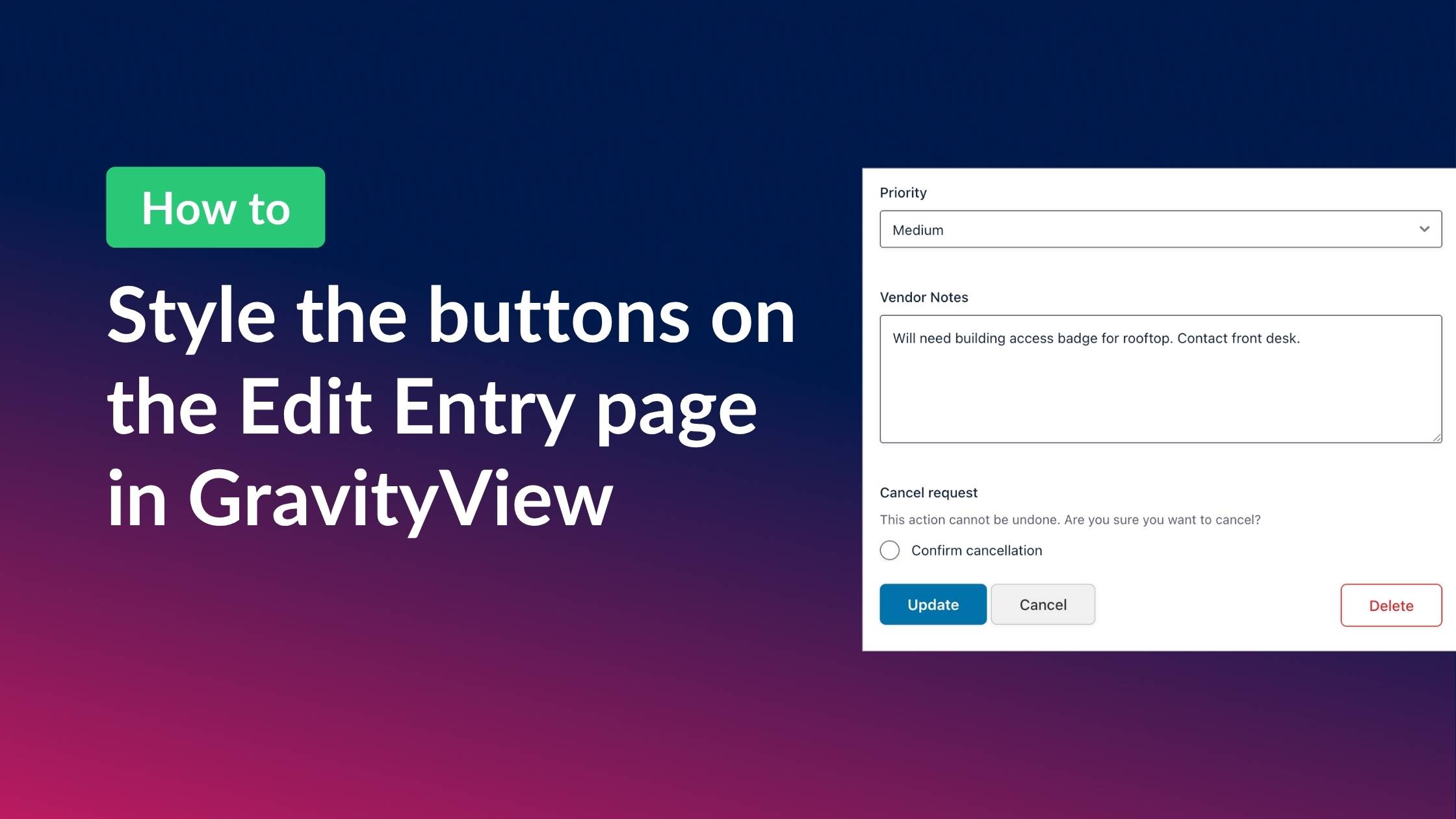
GravityView’s Edit Entry page contains three buttons: “Update”, “Cancel”, and “Delete”. We’ve added common CSS classes to make them look consistent across themes, but depending on your theme, the buttons may appear unstyled or not match the rest of your site. The good news is that with a little CSS, you can customize them however you want. And you don’t need to be a CSS expert to do it! In this post, Casey shows you how to style the buttons on the GravityView Edit Entry page, complete with examples that you can copy/paste.
🧰 UPDATES TO THE ’KIT
Here are the plugins that got updates since our last newsletter:
Next week Casey and I head off to PressConf (see you there?). That means the newsletter might take a week off, but we'll be back with lots of exciting updates after that.
Until next time Zack with GravityKit
Get this every Friday
One short email a week: new releases, practical Gravity Forms tutorials, and subscriber-only discounts.