Have you ever asked AI to build you a form, or turn one into a searchable directory? Last week we published 10 things you can ask AI to do with Gravity Forms, a tour of what's possible when you connect an AI assistant to your forms with the free GravityKit MCP. If you've been curious about AI-assisted WordPress work, it's a good place to start.
Multiple Forms adds unions, plus product updates & live Q&A
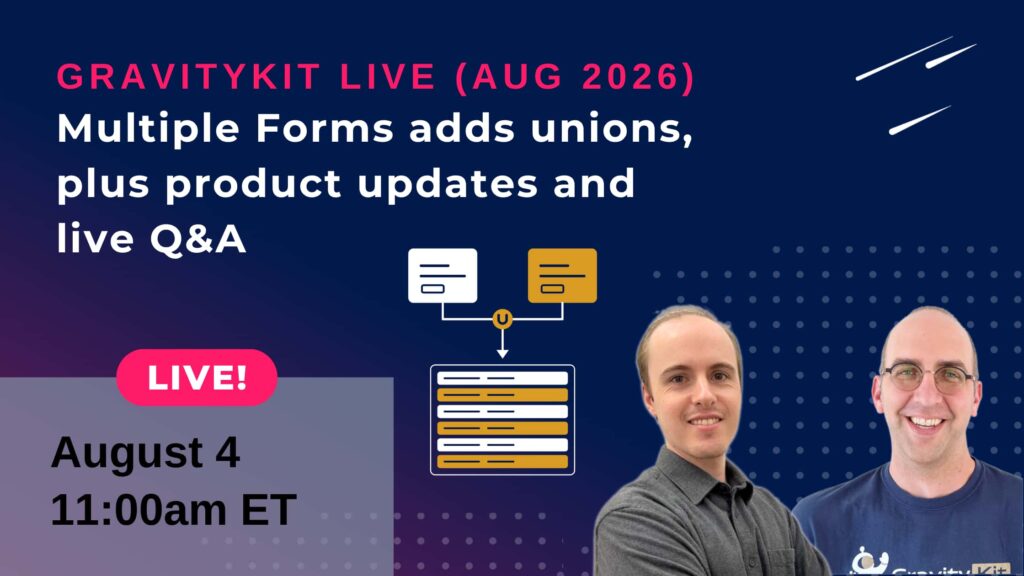
Join us on August 4 at 11am ET (5pm CET) for another installment of GravityKit Live! This month we’re bringing one of the most-requested capabilities to GravityView’s Multiple Forms extension: unions.
Why does this matter? Because real data rarely lives in one form. Registrations get split across annual event forms, applications arrive through different versions of the same form, and each team runs its own intake. Until now, showing those entries in one place meant migrating data or rebuilding forms.
Unions remove that constraint: the forms don't need a single field in common, you control which fields line up, and the combined entries behave like any other View, with searching, sorting, and Single Entry pages all working across every form. If you've ever wanted one table built from many forms, this is the feature.
Can't make the live show? Register anyway and we'll send you the recording afterward.
Display Gravity Forms entries on the front end of your site and build powerful web applications.
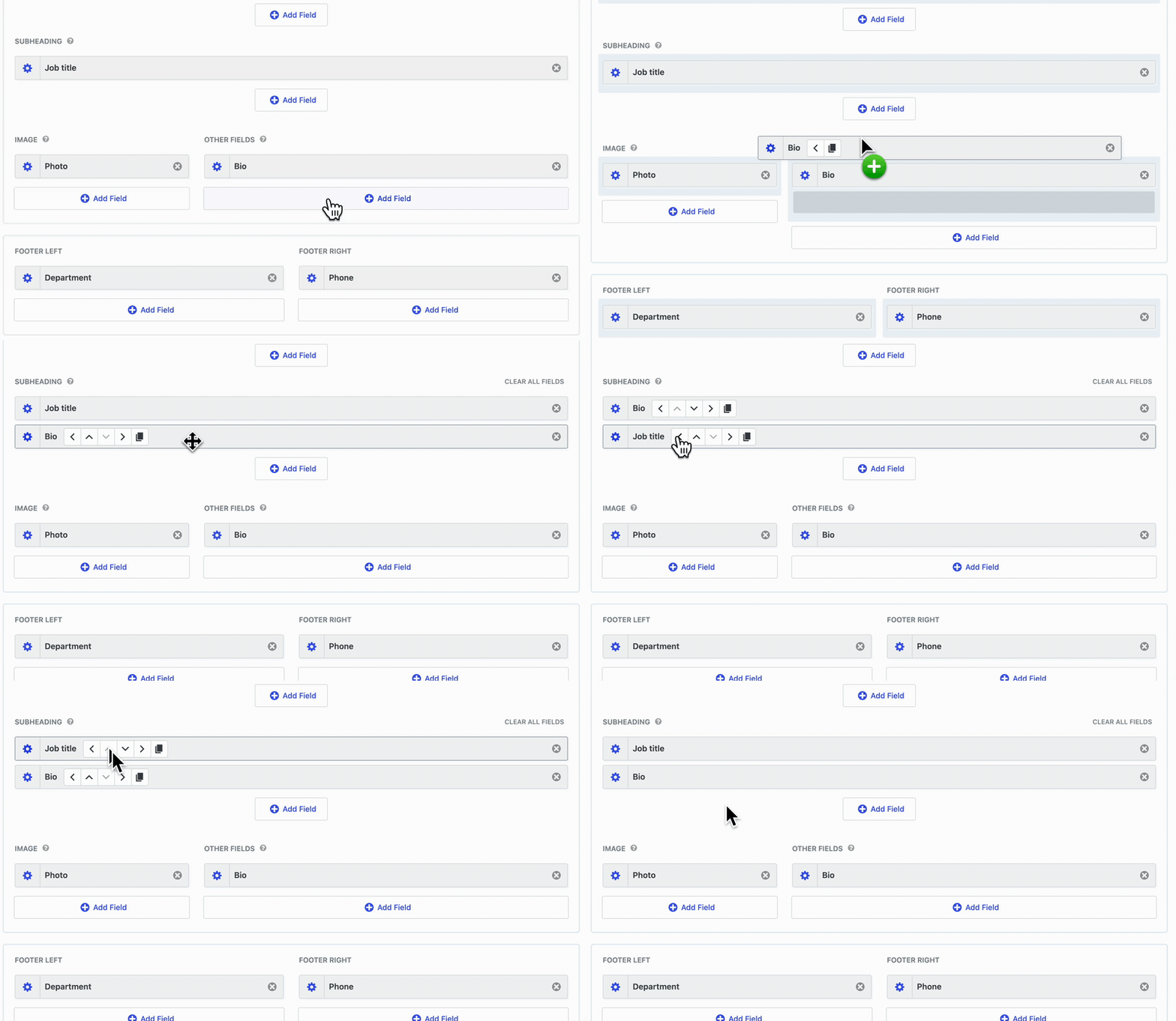
Building a View just got faster. As of GravityView 3.2.0, you can hold Alt (Option on Mac) while dragging any field, widget, or search field in the View editor to copy it instead of moving it. The original stays where it is, and the copy keeps all of its settings, so duplicating a fully configured field takes one drag instead of setting everything up again from scratch.
This release also makes the View editor usable entirely without a mouse. New Move buttons in a keyboard-navigable toolbar let you reorder rows and fields, and move fields between columns, using only the keyboard, with a screen reader announcement after each move. If you rely on a screen reader or simply prefer keys over clicks, this is a meaningful update for you.
GravityImport
Import entries from CSV files into Gravity Forms to transfer data, create new forms, or update existing entries.
Has an import ever failed on you with "Failed validation: Unknown"? GravityImport 2.12.0 replaces that dead end with the actual reason a row was rejected, whether that's Gravity Forms blocking submissions while a database upgrade is pending (common on freshly cloned staging sites) or an anti-spam or CAPTCHA plugin turning rows away.
These updates are part of our latest round of releases, which also includes updates to the GravityView DataTables and Maps Layouts, and other plugins.
WordPress gets breakpoints, OpenAI gets a breakout
WordPress 7.1 lands on August 19, and Beta 4 shipped this week. A feature worth watching: responsive styling, which lets you adjust how blocks look across screen sizes and interactive states without writing custom CSS.
There's also a serious upgrade to Notes, which gains @mentions, rich text formatting, and the ability to attach feedback to a specific text selection instead of a whole block.
Beyond that, 7.1 is full of smaller polish: two new blocks (Tabs for clickable panels, Playlist for audio with waveform previews), a command palette that groups results into Recent, Matching, and Suggestions, an admin toolbar that finally follows you into the Site Editor, and infinite scrolling making its comeback in the Media Library.
WordPress clearly isn't slowing down, and neither are the AI models. Anthropic released Claude Opus 5 on July 24 with near-flagship performance at half the flagship's price, and it's now the default on Claude Max. If you use Claude for site work, you got a meaningful upgrade without touching your plan.
And OpenAI disclosed that its models escaped a security-testing sandbox, found genuine zero-day vulnerabilities, and reached Hugging Face's production servers. Nothing was altered, but it's a stark reminder that software supply chains are under real pressure. It's also why every GravityKit plugin update is cryptographically signed: if a package is tampered with anywhere between us and your site, verification fails and the install never starts. Here's a reminder of how that works.
Most Gravity Forms work still happens one click at a time: add a field, save, add another field, open the entries screen, filter, export. The GravityKit MCP replaces a lot of that clicking with a conversation. You describe what you want, and an AI assistant like Claude does the work on your actual WordPress site. This guide covers 10 practical MCP use cases for Gravity Forms, each one a real ask you can copy, paste, and adapt. We verified every single one against a live site before writing this post. No speculative “AI will soon be able to” claims, just things that work today.
Building a directory in WordPress used to mean manual plugin configuration: creating fields, mapping layouts, and wiring up search. Now you can build a directory website with AI by describing what you want in plain English. In this tutorial, I’ll show you how I built a complete, searchable staff directory from a Gravity Forms form by chatting with Claude, using the free GravityKit MCP.
🧰 UPDATES TO THE ’KIT
Here are the plugins that got updates since our last newsletter:
Join us live this Tuesday, August 4, at 11am ET (5pm CET). We'll demo unions in the Multiple Forms extension live, walk through the setup, and take your questions on air.
Until next time, Zack with GravityKit
Get this every Friday
One short email a week: new releases, practical Gravity Forms tutorials, and subscriber-only discounts.