GravityKit turns 12 today 🎉 Twelve years is a long time in WordPress, and we are still here because of our customers and the wider community who trust our software. Thank you for building with us. We’re also here because Gravity Forms continues to be the world’s best form plugin. Thanks to their team!
In this edition:
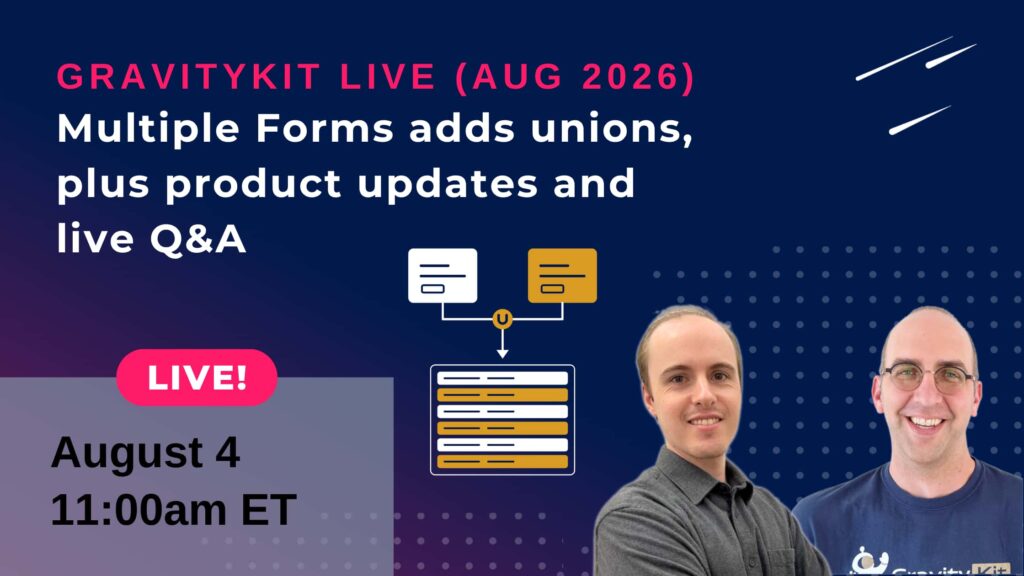
🎙️ GravityKit Live: Multiple Forms adds unions & live Q&A
🌟 Product spotlight: Updates to Block MCP and Zero Spam
🤖 The Prompt: WordPress's official AI plugin is quietly getting good
✍️ From the blog: A year in review on GravityKit's 12th birthday
Multiple Forms adds unions, plus product updates & live Q&A
Join us on August 4 at 11am ET (5pm CET) for another installment of GravityKit Live! This month we’re bringing one of the most-requested capabilities to GravityView’s Multiple Forms extension: unions.
Multiple Forms has always let you join related entries across forms, matching them side by side into a single row. Unions work the other way: instead of matching entries, they stack them!
We’ll demo unions live and walk through the setup, then run through a whole lineup of other exciting product updates we’ve been shipping, before we open the floor for your questions.
The WordPress AI connector that just works. Let AI agents edit your WordPress posts and pages at the block level, without breaking your layouts.
Block MCP v2.2 extends your AI assistant's reach beyond posts and pages to the rest of the block ecosystem. It can now browse your theme's Full Site Editing templates and template parts, turn a selection of blocks into a reusable pattern (synced or one-time), and see the block binding sources registered on your site, like post meta and pattern overrides.
If you know WP-CLI, this release brings Block MCP to feature parity with the wp block command family, so everything the CLI can inspect, your AI assistant can too. And it goes one step further with template editing. It's off by default, and when you enable it, every edit is saved as a customization that leaves your theme files untouched and can be reverted at any time, from the assistant or the Site Editor.
Developer note: the new template, pattern, and binding tools are also registered as WordPress Abilities for the MCP Adapter.
Gravity Forms Zero Spam
Block spam submissions with a non-intrusive method applied to all Gravity Forms forms, with optional summary email reports.
Zero Spam v1.10 adds a Shield silentCAPTCHA integration that uses Shield Security's invisible bot detection as an additional spam signal (requires the free Shield Security plugin). No puzzles or checkboxes for your visitors, just one more layer working quietly in the background. Set it globally and override it per form. A big thank you to Paul Goodchild of Shield Security for contributing the integration!
You also get new "Spam Check Order" settings, giving you control over the order in which the token check, Shield silentCAPTCHA, and AI Spam Review run, and whether to stop checking once a submission is flagged. If you run high-traffic forms, this lets you put your cheapest checks first.
These updates are part of our latest round of releases, which also includes updates to GravityView.
WordPress's official AI plugin is quietly getting good
If you haven't looked at WordPress's official AI plugin lately, it's worth another glance. It's now active on 30,000+ sites and shipping fast, with two releases in July alone: 1.1.0 in the first week and 1.2.0 right behind it.
The headline features are practical, not flashy. A new Suggest Reply experiment lets comment moderators generate a contextual reply straight from the Comments screen, and Content Summarization can now run as a bulk action across multiple posts from the list table. Under the hood, 1.2.0 adds two read-only Abilities, core/read-content and core/read-users, the building blocks that let AI agents query your site with WordPress permissions enforced.
What we like most is how carefully it's all being rolled out. New features land as opt-in experiments, new AI capabilities arrive read-only first, and the advanced settings, like provider and model selection, are hidden behind an opt-in Developer Tools menu. That's the right way to bring AI into WordPress!
The AI settings screen in the WordPress admin
Next up in 1.3.0: more Abilities, experiments for content translations and media editing, and content provenance tracking, so sites can label how content was created and whether AI was involved. If you manage client sites, now's a good time to try the plugin on a staging site, because the Abilities API underneath it is what the next generation of WordPress AI integrations will be built on.
GravityKit turns 12 today. What began in 2014 as a single plugin for displaying Gravity Forms entries is now a full suite of no-code tools running on more than 60,000 websites. None of that happens without the people who build with us, so thank you. Here’s a look back at what we shipped this last year, what our customers built, and where we’re headed next. And because a birthday deserves a gift, we’re running a sale as well!
🧰 UPDATES TO THE ’KIT
Here are the plugins that got updates since our last newsletter:
I truly believe GravityKit is currently doing the best work we’ve ever done: We are shipping impactful updates every week that are better tested, with fewer bugs, and better supported than ever before. That’s because our team is dedicated to doing a great job. Thanks to Vlad, Rafael Bennemann, Casey, Doeke, and Mwale.
I’m so excited about the lineup of updates coming this year. We will be making managing your form data easier, more powerful, and more connected to the way you work.
The world twelve years from now will be very different, yet one thing will remain the same: the best way to succeed is by solving problems customers experience and treating others with respect. See you in the year 2038!
Get this every Friday
One short email a week: new releases, practical Gravity Forms tutorials, and subscriber-only discounts.